Making Keychron K3 Pro behave like Apple Magic Keyboard
My keyboard setup lately has been that I use Apple Magic Keyboard for work on the Mac, and Keychron K3 Pro for gaming on the PC. Just recently, a key fell off from the Apple keyboard and it had to be sent in for a repair which will likely take at least 2 weeks. For this reason, I'm now trying to make the Keychron as similar to the Apple Keyboard as possible to reuse muscle memory. Previously, I've also used Keychron K3 v2 with Mac, which had needed some Karabiner Elements hacks to make it work the way I want.
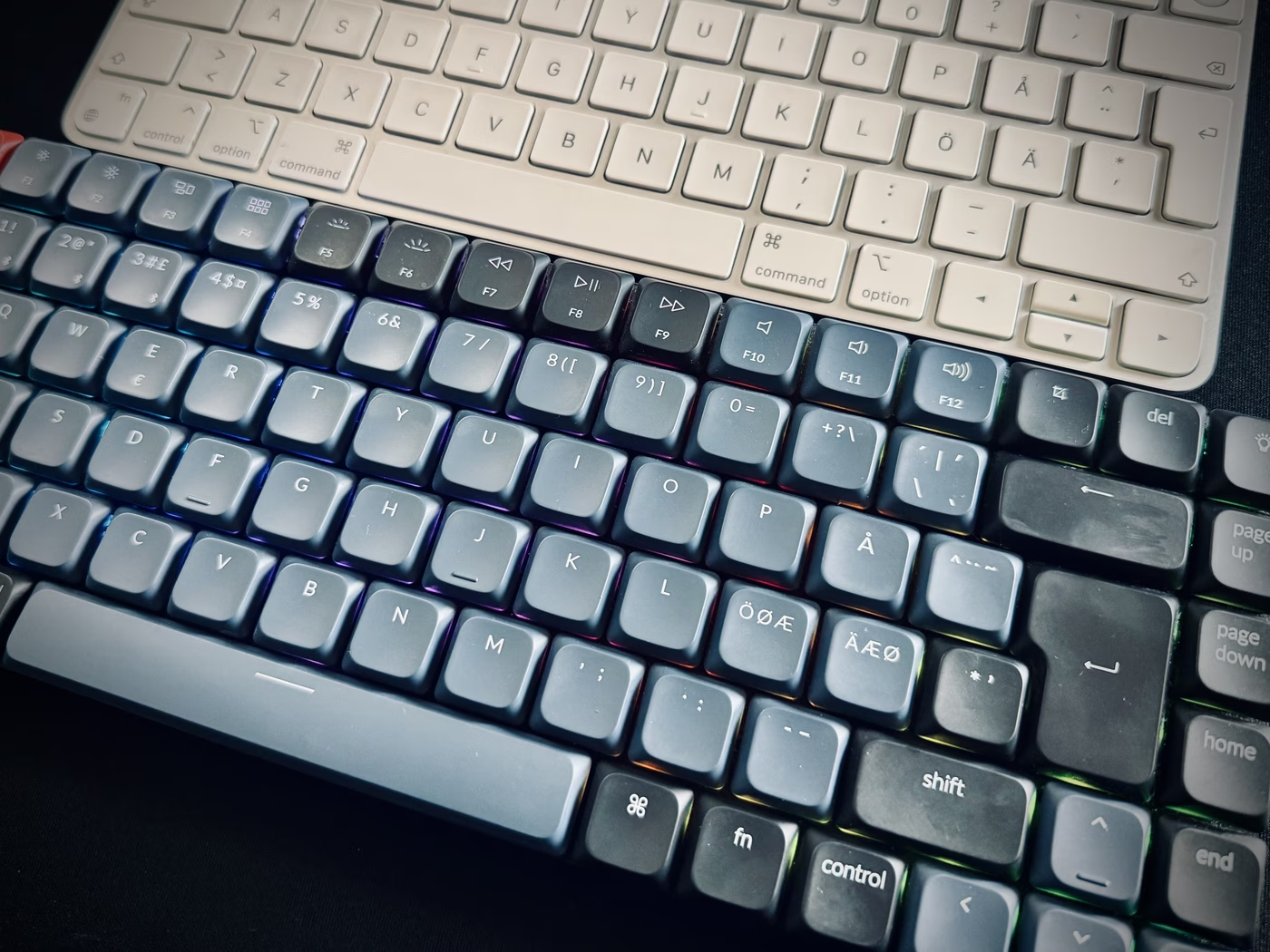
Lack of Touch ID aside, the biggest difference between the two is that Keychron
has a fn key where Magic keyboard has an Option key. I have a great many
combinations that I'm used to activating through the Option key, which I quickly
noticed when switching over to K3 as they did not work through the fn key.
Critically, I also noticed that my old Karabiner mappings to make the K3 Pro
work did not work either. The reason is that while K2 v3 sends an actual fn
key when pressing the key, the default behavior in K3 Pro is to switch to
another layer (Momentary Layer, as it's called) which contains mappings related
to the keyboard internals, such as controlling RGB or checking battery level. In
the default Mac mode, this fn also activates the top row to behave as function
keys.
The great thing about K3 Pro however which I've started to appreciate just now is the QMK support. This allows you to override any key, seemingly in almost any way possible, by going to the Keychron launcher app at launcher.keychron.com.

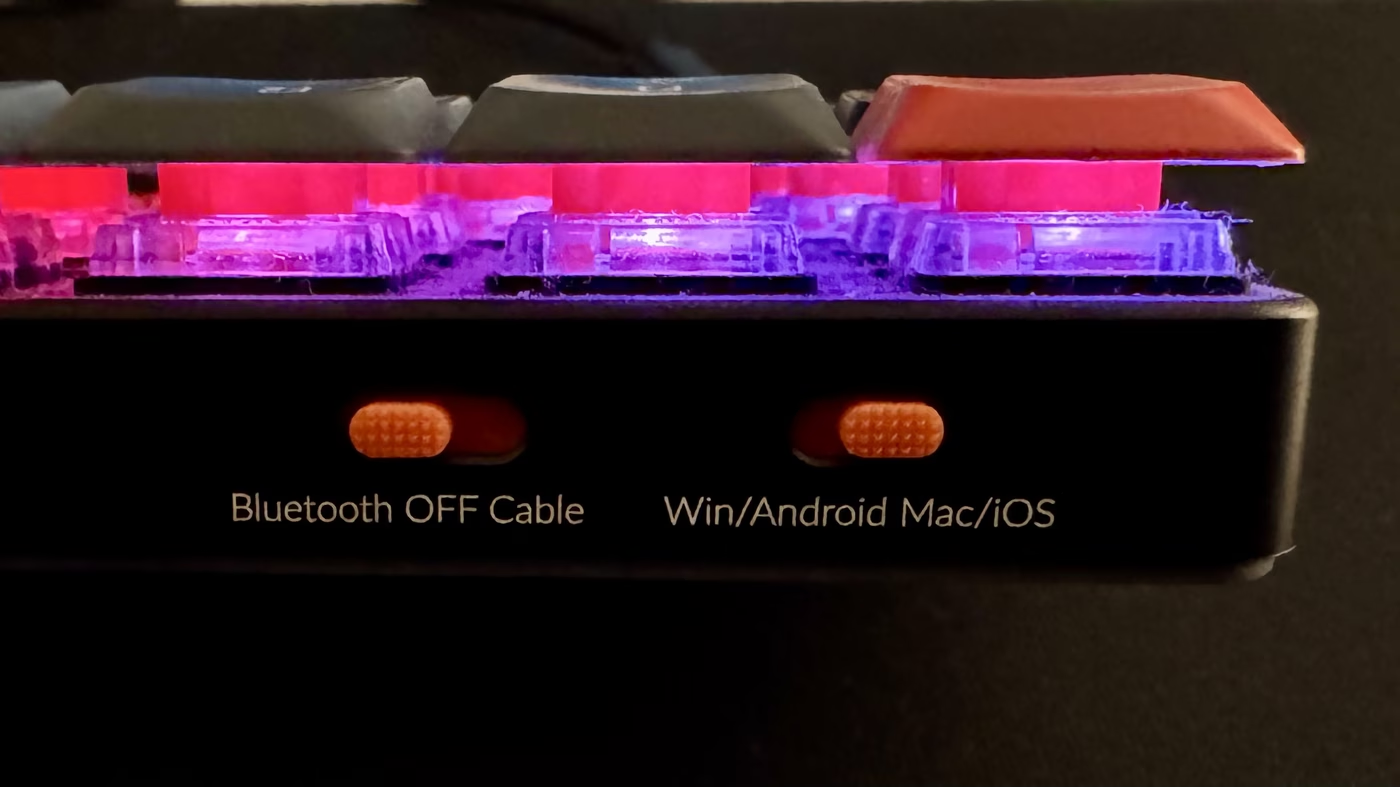
An interesting thing the configurator tool revealed about the keyboard is that the Mac/Windows switch at the back of the keyboard actually just controls the layer the keyboard is in by default. So even if in your usage you don't switch between Mac and Windows devices, you could use this toggle to switch between for example gaming and work setups, assuming you configure the layers appropriately.
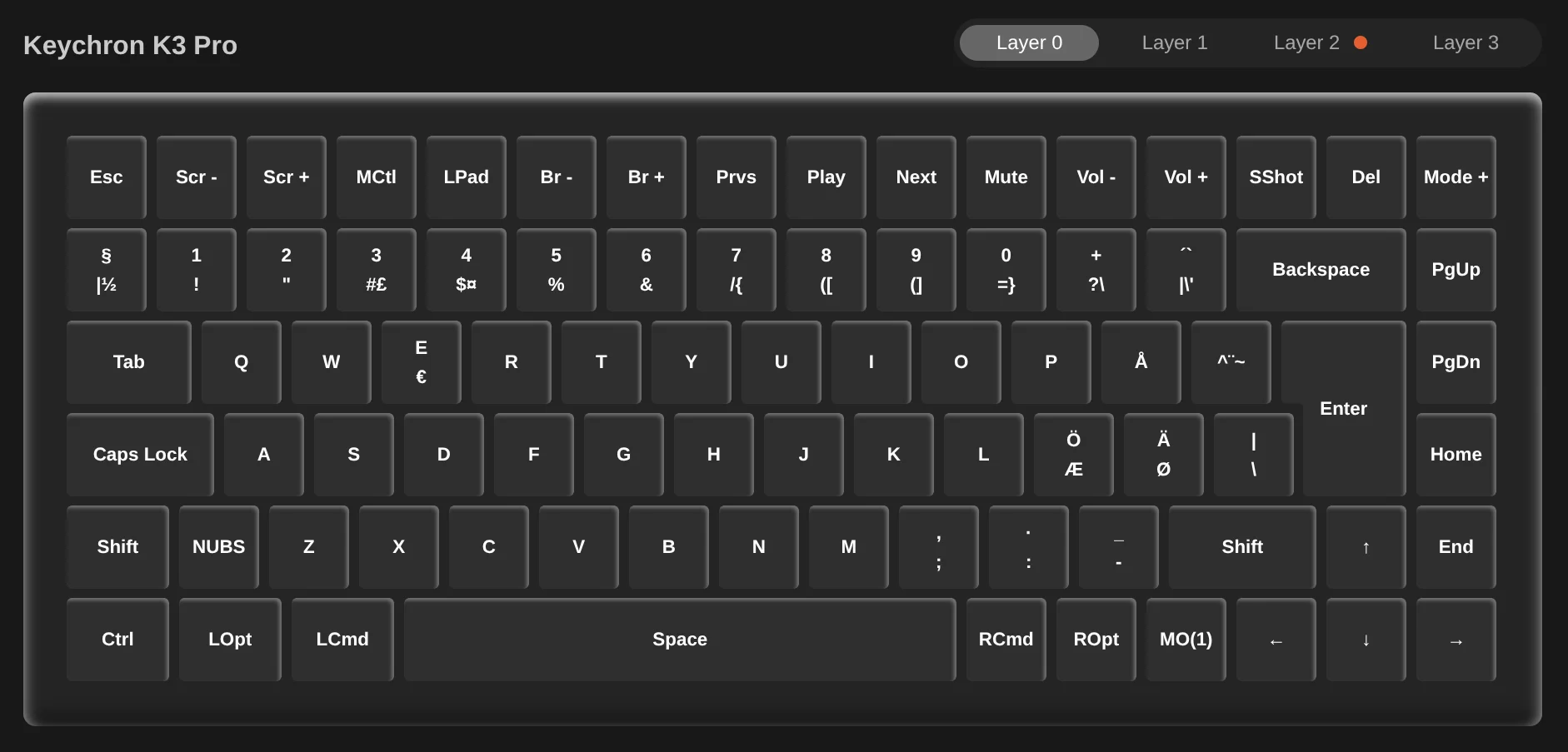
With the power of QMK, solving my problem of fn being in the place of the
Option key is luckily really simple: Change the fn key to send the
ROpt/RALT keycode. This makes it so that it acts as a modifier the exact
same way as the Option key on the Apple keyboard. Also, since I don't use the
right control, I changed it to the original fn behavior of MO(1) (MO for
momentary), which triggers the aforementioned layer switch. This approach is way
better than the one I had with K3 v2, because I don't have to add Karabiner
modifications for each fn modifier using combination separately.
With this, aside from the keyboard layout working correctly, one of my favorite Karabiner modifications also works:
// profiles[].complex_modifications.rules[]
This mapping allows switching between tabs with Option + [ / ].
Still, there's another quirk I encountered regarding the keys left of 1 and
Z respectively, when switching between Keychron and the internal keyboard of
Macbook. Even though both keyboards have ISO physical layouts, they require
different "Virtual Keyboard Type" setting in Karabiner. With the Keychron, I
needed ISO, but with the internal keyboard, I needed ANSI. When the setting was
wrong, these two keys behaved as if swapped.
The solution is to set the virtual keyboard type to ISO (which works for Keychron), and add Simple Modifications in Karabiner for the Apple keyboards that swap the two keys:
grave_accent_and_tilde→non_us_backslashnon_us_backslash→grave_accent_and_tilde
This way both keyboards can use the same Karabiner profile with ISO selected as the keyboard type, and you don't need to swap between two profiles depending on which keyboard is in use.
// profiles[].devices[]
// profiles[].devices[]
In summary, if you're switching between Apple Magic Keyboard and Keychron K3
Pro, remapping the fn key to ROpt via the Keychron Launcher makes the
transition seamless from a muscle memory point of view. Having become familiar
with QMK during this, I'm sure I won't buy another keyboard without it. With
QMK, you can be pretty confident any mapping issue can be solved on firmware
level.