My experience with Zola static site engine
I recently converted WalkingMate's website from plain HTML to use Zola which is a static site engine written in Rust. As the number of pages grew from just one, the lack of templating started to be a problem for development experience. Duplicating the navigation and footer in every page is annoying because they can start to diverge by accident. I chose Zola for no particular reason, but the fact that it's written in Rust appeals to me, as that generally signals performance and modern DX.
Overall, my experience with Zola has been positive, and I've since also built this site with Zola. I like the first-class markdown support with TOML frontmatter for creating content, and it seems flexible enough to serve various of use cases. For example, in the WalkingMate website, I have a YAML file that contains the full changelog of the app:
- version: '1.2.0'
  date: December 19, 2025
  changes:
    - "Added step calibration wizard - walk for 60 seconds while tapping
      spacebar to find your treadmill's correction factor"
    - 'Fixed workouts being lost when treadmill disconnects mid-session (now
      auto-saves after 60s or can be saved manually)'
# ...
I can use this same YAML to show the full list of changes in a What's New page, but also to render just the latest changelog item on the frontpage:
<!-- Front page -->
{% set changelog = load_data(path="data/changelog.yaml") %} {% set latest =
changelog | first %}
Version {{ latest.version }}
{{ latest.date }}
{% for change in latest.changes %}
{{ change | markdown(inline=true) | safe }}
{% endfor %}
View all updates →
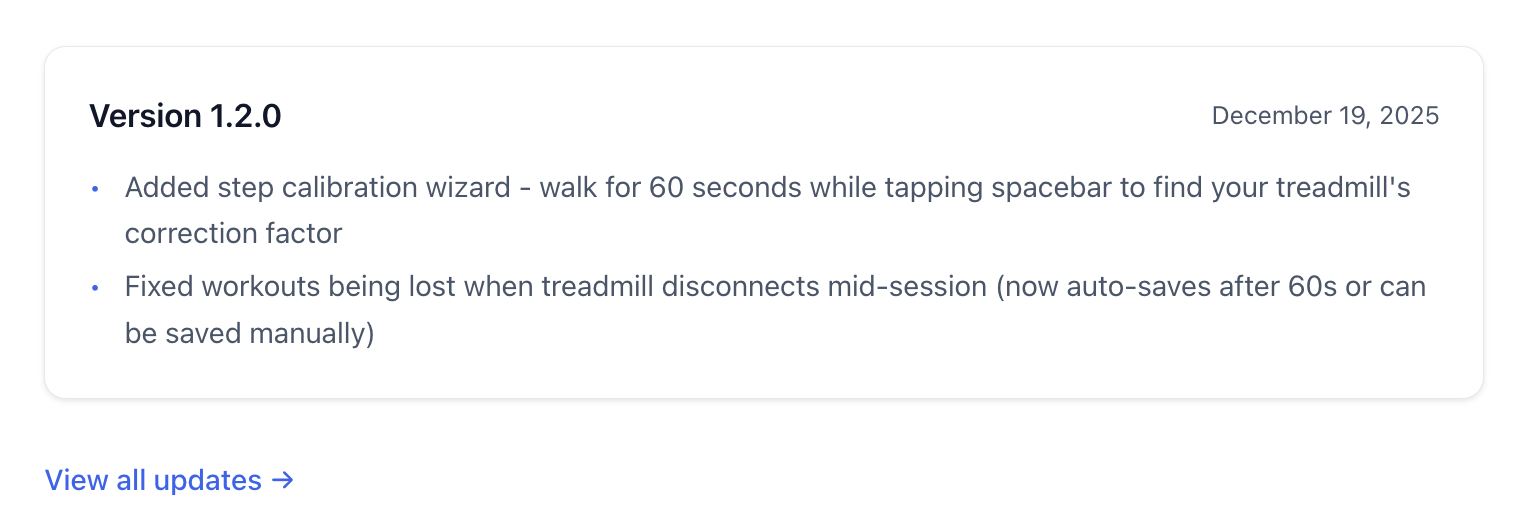
However, it's not without its rough edges, although, I've not found that many.
#Zola: It's not AI native, lol
As I use Claude Code quite heavily (outside of writing these blog posts), I quickly noticed that Zola's file watcher was not picking up edits done by Claude. A quick AI consultation revealed the issue might be that Claude does its edits atomically, which means that it creates a new file containing the edit, and then renames it to original location, replacing the original file. This method avoids corruption if the write fails, but many file watchers apparently don't detect the rename as a change to the original file.
The best solution I could find for Claude Code specifically, is to add a hook, that touches the file with a change whenever Claude changes it.
This hook would run every time Claude finishes using the Write or Edit
tools, executing the following .claude/hooks/touch-zola-files script.
#!/usr/bin/env bash
# Trigger Zola's livereload after Claude writes files.
# Zola doesn't detect atomic writes (temp file + rename) and ignores touch
# if content is unchanged. Appending a Zola comment forces a content change
# that triggers rebuild but renders as nothing in HTML.
file_path=
if && ; then
token=""
fi
So far this method has worked flawlessly, and Zola is picking up changes done by Claude.
#Not cache busting out of the box
When I deployed the new Mac Apps page, and had a look at the live page at https://raine.dev/apps, the styles were broken. Hitting force refresh fixed it. That signals mainly one thing, which is that the browser had cached the old styles and visiting the newly deployed site did not invalidate that cache. The most common way to fix this kind of problem is to use asset hashing for site resources such as CSS and JavaScript.
Fortunately, Zola has support for this through the
get_url
function's cachebust parameter:
- <link rel="stylesheet" href="{{ get_url(path="main.css") }}">
- <link rel="stylesheet" href="{{ get_url(path="syntax-light.css") }}" id="syntax-light">
- <link rel="stylesheet" href="{{ get_url(path="syntax-dark.css") }}" id="syntax-dark" disabled>
+ <link rel="stylesheet" href="{{ get_url(path="main.css", cachebust=true) }}">
+ <link rel="stylesheet" href="{{ get_url(path="syntax-light.css", cachebust=true) }}" id="syntax-light">
+ <link rel="stylesheet" href="{{ get_url(path="syntax-dark.css", cachebust=true) }}" id="syntax-dark" disabled>
Now instead /main.css, the assets are getting served as for example
/main.css?h=498d9c65a03173df1709, and browsers are guaranteed a fresh copy
after deploying.